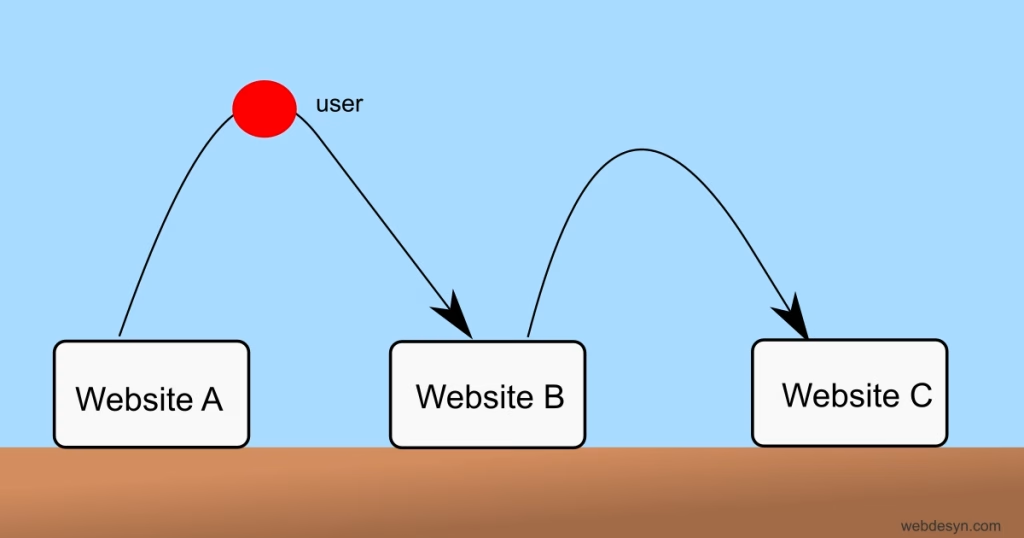
Click-through and bounce rates are important metrics that reflect a site’s on-page efforts.
Impressions & Click-through
Impressions are views of a website in search results. Click-through is when a user clicks on a website link to read more.

Typically, when you analyse traffic in Search Console, impressions are always higher than clicks. The click-through rate is the impressions-to-clicks ratio calculated by dividing clicks by impressions and multiplying by 100. Here’s the formula to calculate click-through rate:
CTR = (Clicks/Impressions)) x 100
A high click-through is good as it indicates more people are visiting your website, not just passing over it in searches.
Factors affecting low click-through rate
- Uninteresting Titles & meta descriptions
- Previous visits: Searchers may not click through your website because they have seen and clicked it before.
- Missing titles or meta descriptions: Sometimes people may forget to write titles and meta descriptions, and Google will show anything it thinks is best for the user. Make sure to write catchy titles and meta descriptions.
How to improve CTR
Optimise Titles & Meta Descriptions
Craft interesting titles that capture attention fast. Here’s how:
- Put primary keywords in the titles & meta, e.g Samsung A14 price, Factors affecting high chemical weathering in the tropics, Toyota Hilux for hire price
- Be specific in your titles: Use long-tailed keywords, e.g How does rock composition affect weathering
- Use How & What in titles for informational content
- Use numbers:, e.g. 10 ways to rank your website
- Use power words and action phrases like “Ultimate Guide,”, “Try for Free etc.
- Use interesting hooks, e.g. Is SEO dead in 2025, Increase your site visitors this way.
- Create urgency: Use words like “Limited Offer” and, Buy now” for a person to click immediately.
Optimise for Featured Snippets
Featured snippets are special displays in the SERPs, such as a list of points, images, star ratings, etc. Google shows featured snippets automatically. You can optimise your content for a featured snippet by;
- Using clear, concise answers (structured within 40-60 words).
- Formatting content properly; use lists, tables, headings, and sub-headings
- Using schema markup to help search engines understand your content.
Bounce Rate
Bounce is when people leave your site immediately without engaging with it for long or visiting other pages.
Bounce rate measures the percentage of visitors who navigate away from your site after viewing only one page. High bounce rates can indicate:
- Content that doesn’t match search intent
- Slow page-loading
- Poor website design or difficult navigation
- Lack of clear calls to action
A high bounce rate signals to search engines that users didn’t find what they were looking for, potentially dropping the site’s rankings.
How to reduce bounce rate
Solve the search intent
Make sure someone finds what he’s/she’s looking for immediately. Is the searcher looking for price or information, or is still researching? For example, if the user is using terms like “cost,” “price,” “cheap,” and “affordable,” within their searches, they’re likely looking to compare prices or find the best offer. Your title and meta descriptions must include prices, discounts etc.
Informational queries like “What” or “How” indicate someone who wants to learn about something. You can create blog articles with a comprehensive explanation.
Reduce Clutter

Make sure your page doesn’t hinder navigation. Remove unnecessary components, especially in the hero section, e.g. banners, images etc. If your site displays Ads make sure they are not too intrusive, preventing users from navigating easily.
Make your website mobile-responsive
Ensure your website is optimised for mobile phones. A website on mobile must have stacked elements without horizontal scrolling
Improve readability
Use short paragraphs, incorporate lists and headings for structure: One H1, H2 for sub-headings, H3 and so on.
Improve speed
Make sure your website loads faster, otherwise users will bounce quickly. Utilise CDNs, minification, small-size image formats such as WebP and Avif.
Conclusion
Optimizing search performance requires understanding key metrics like impressions, click-through rate (CTR), and bounce rate. A high CTR indicates that your titles and meta descriptions are compelling, while a low bounce rate signals that users find value in your content.
To improve these metrics, craft engaging titles, provide clear search intent solutions, and enhance site usability through fast loading speeds, mobile responsiveness, and clutter-free design. By implementing these strategies, you can boost traffic, improve rankings, and create a better user experience.
Further Reading
NB; Some content parts where written with the help of AI
